
Download BKF File Repair Tool – Secure, Fast, and Reliable BKF Recovery Software for Windows
Overview: Recover Corrupted BKF Files with Confidence
When critical data stored in BKF files becomes corrupted due to hardware failure, accidental deletion, or software errors, the consequences can be devastating—especially for businesses relying on consistent backups. The BKF File Repair Tool by Cigati Solutions is a powerful, Windows-based software designed to restore these damaged backup archives with minimal effort and maximum reliability. This tool specializes in repairing BKF files created by Windows NT Backup, Backup Exec, and Symantec Backup Utility (Veritas), making it a must-have for IT administrators and regular users alike.
What sets this software apart is its ability to recover a wide range of file types—documents (DOC, DOCX, PDF), spreadsheets (XLS, XLSX), presentations (PPT), images (JPG, PNG), audio files (MP3, WAV), and even complex databases (SQL, Access). The tool uses advanced algorithms to scan and reconstruct corrupted file structures without altering the original data, ensuring zero data loss. Whether you're recovering personal files from a failed backup or restoring a company’s mission-critical database, BKF File Repair Tool delivers consistent, high-fidelity results.
One of the most impressive features is the free demo version, which allows users to preview the recovered files before purchasing the full license. This gives you full confidence in the tool’s effectiveness and helps you assess the integrity of your recovered data. The intuitive graphical user interface (GUI) makes navigation simple, even for non-technical users. With just a few clicks, you can load your BKF file, initiate the repair process, and view the restored items. It’s a secure, efficient, and stress-free solution for anyone dealing with BKF file corruption.
Key Features of BKF File Repair Tool
- Advanced Repair Engine – Uses intelligent algorithms to reconstruct damaged BKF file structures and recover data accurately.
- Support for Multiple Backup Formats – Fully compatible with BKF files from Windows NT Backup, Symantec Backup Exec, and Veritas Backup Utility.
- Comprehensive File Recovery – Restores documents, photos, videos, audio files, emails, databases, and more across various formats.
- Free Demo Version – Preview recovered files before purchasing the full license—no cost, no obligation.
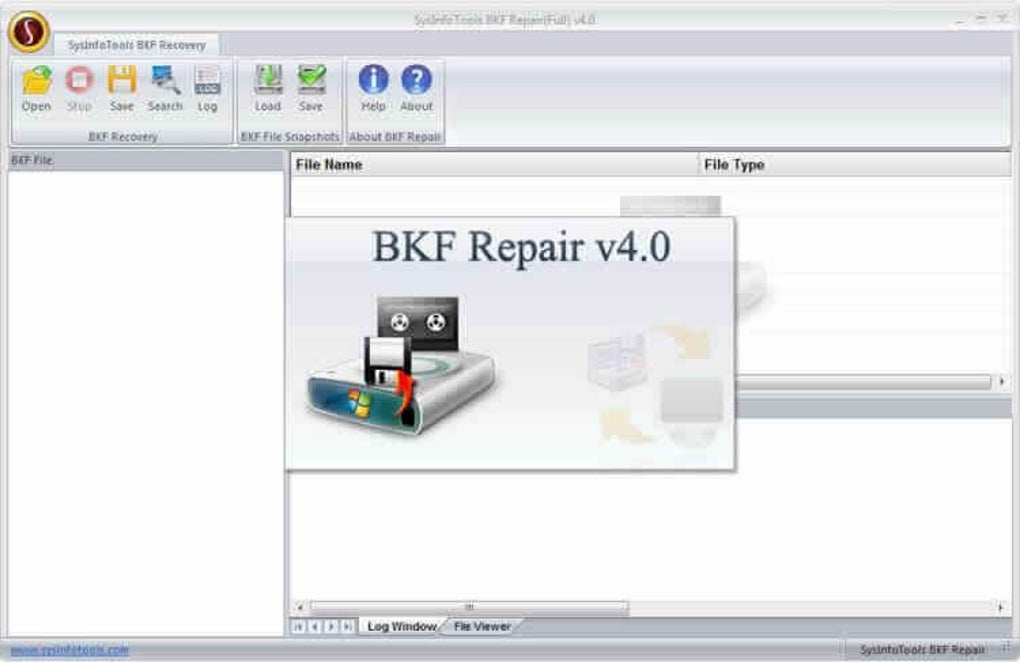
- Intuitive User Interface – Clean, easy-to-navigate GUI designed for both beginners and advanced users.
- Non-Destructive Recovery – Ensures original BKF files remain untouched during the repair process.
- Fast Scanning & Processing – Optimized performance for quick analysis and recovery, even with large backup files.
- Preview Functionality – View file contents before recovery to verify data integrity.
Each feature is engineered with reliability and user experience in mind. The non-destructive recovery process means you don’t risk further damage to your original BKF file—perfect for sensitive or irreplaceable data. The preview function is especially valuable, as it allows you to inspect the recovered files and confirm they are intact before committing to a full recovery. This prevents wasted time and effort on incomplete or corrupted outputs.
Additionally, the tool supports both single file repair and bulk recovery, making it ideal for large-scale data restoration projects. Whether you're restoring a few personal photos or an entire company database, the software adapts seamlessly. The fast scanning engine ensures that even large BKF files (several gigabytes) are processed efficiently, minimizing downtime. With regular updates from Cigati Solutions, the software remains compatible with evolving Windows environments and backup standards.
How to Install and Use BKF File Repair Tool
Installing and using the BKF File Repair Tool is straightforward and requires no technical expertise. Begin by downloading the software from the official Cigati Solutions website. The installer is lightweight and runs smoothly on Windows 7, 8, 10, and 11. Once downloaded, double-click the setup file and follow the on-screen instructions to complete the installation. The process takes less than a minute and does not require rebooting your system.
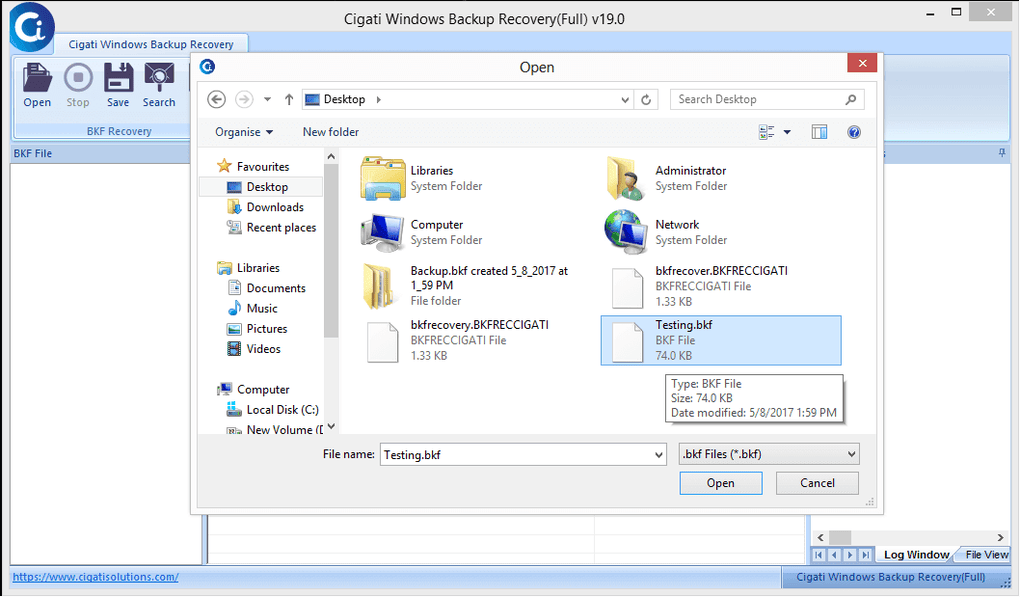
After installation, launch the application. You’ll be greeted by a clean, user-friendly interface with clearly labeled options. Click on “Open BKF File” and browse to the location of your corrupted backup file. The software supports both local drives and external storage devices such as USB drives, external hard disks, and network locations.
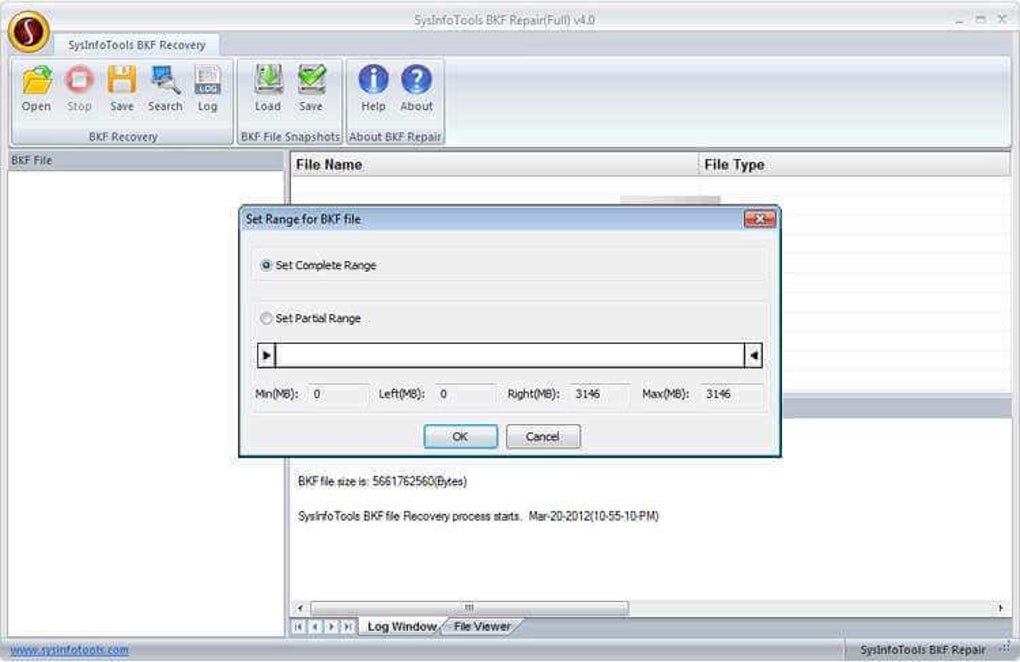
Once the file is loaded, click “Repair” to initiate the scanning process. The tool will analyze the file structure, identify corrupted sections, and begin reconstruction. This step may take a few seconds to several minutes depending on the file size and extent of damage. Upon completion, the software displays a list of recoverable items, which you can preview before saving.
For the free demo version, you can preview the first few files of each type (e.g., first 5 documents, first 3 images). If the preview confirms successful recovery, you can proceed to purchase the full license to unlock all data. To save the recovered files, select the desired output folder and click “Save”. The tool supports saving files in their original format and folder structure, preserving organization and metadata.
Compatibility and System Requirements
The BKF File Repair Tool is exclusively designed for Windows operating systems, including Windows 7, 8, 10, and 11 (both 32-bit and 64-bit versions). It is not available for Mac, iOS, or Android platforms, so users on non-Windows systems will need alternative solutions. However, for Windows users, the tool offers full compatibility with legacy and modern backup formats.
System requirements are modest, ensuring the software runs efficiently even on older machines. You’ll need at least 1 GB of RAM, 50 MB of free disk space, and a processor with a minimum speed of 1 GHz. A stable internet connection is recommended for downloading updates and activating the full version after using the demo.
Despite being Windows-only, the tool’s ability to handle BKF files from various backup utilities makes it a versatile solution. Whether you're working with files from Windows NT Backup, Backup Exec, or Symantec Veritas, the software handles them all with equal precision. This broad support ensures that both home users and enterprise environments can benefit from its recovery capabilities.
Pros and Cons of BKF File Repair Tool
Pros:
- High success rate in recovering corrupted BKF files
- Free demo version with preview functionality
- Supports multiple backup formats (NT Backup, Backup Exec, Veritas)
- Intuitive GUI suitable for non-technical users
- Non-destructive recovery process
- Fast scanning and processing speed
- Recovers a wide variety of file types
Cons:
- Windows-only—no Mac, iOS, or Android support
- Full version requires purchase after demo
- Not suitable for extremely large BKF files without sufficient system resources
Frequently Asked Questions (FAQ)
Final Verdict: A Reliable Solution for BKF File Recovery
If you’re dealing with corrupted BKF files from Windows NT Backup, Backup Exec, or Symantec, the BKF File Repair Tool is one of the most effective and user-friendly solutions available. Its combination of a free demo, fast recovery speed, and broad file support makes it a top choice for both individuals and IT professionals. While it’s limited to Windows, its performance and reliability justify its use in any environment where BKF files are in play.
With its intuitive interface and non-destructive recovery process, you can restore your valuable data with confidence. Whether it’s a lost family photo, an important business document, or a critical database, this tool helps you recover what matters most.
Download BKF File Repair Tool today and take control of your data recovery—secure, fast, and hassle-free.







